Understanding What Shaders and Textures for Minecraft Offer
Visual Transformation in Minecraft PE
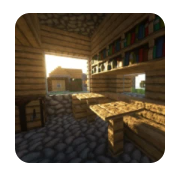
Minecraft PE, while fun and flexible, features simple graphics by default. Shaders and Textures for Minecraft enhance the game’s visuals dramatically by adding color depth, improved shadows, and dynamic lighting. Players immediately notice richer environments that feel more alive, vibrant, and engaging.
Enhancing Biomes, Objects, and Lighting
Every biome gains new personality through upgraded visual detail. Forests have swaying grass and trees, deserts glow under warm sunlight, and oceans reflect the sky above. Objects that once appeared flat now have texture, meaning blocks, tools, and structures look far more defined.
Core Features of Shaders and Textures for Minecraft
High-Quality Shader Effects
One of the standout features of Shaders and Textures for Minecraft is the advanced shader system. Players experience real-time shadows, dynamic daylight cycles, glowing reflections, and atmospheric lighting that gives depth and realism to every scene.
Texture Resolutions from 16x16 to 128x128
Not all devices can handle high-resolution textures, which is why this tool offers multiple resolution levels. Whether you choose 16x16 for smooth performance or 128x128 for ultra-detailed visuals, Shaders and Textures for Minecraft lets you tailor the experience.
Dynamic Environmental Improvements
Water ripples realistically, sunlight casts natural shadows, and weather effects feel more animated. These details make exploration more enjoyable, and every adventure becomes cinematic.
Why Players Choose Shaders and Textures for Minecraft
More Realistic Worlds
By integrating Shaders and Textures for Minecraft, players can transform ordinary worlds into visually breathtaking environments. Mountains feel grander, forests appear fuller, and nighttime comes alive with soft illumination.
Deepened Immersion in Survival and Creative Modes
Survival mode becomes more atmospheric while creative mode gains artistic richness. Building projects shine with more depth and color, giving players enhanced creative control over their worlds.
How the Integration Works Smoothly on Minecraft PE
Compatibility Requirements
To use Shaders and Textures for Minecraft, Minecraft PE must already be installed. The modification integrates seamlessly, ensuring that your gameplay remains smooth and uninterrupted.
Simple Installation and Application
Designed with ease of use in mind, the tool allows players to apply new visual packs within moments. No technical skills are required, making it perfect for beginners and advanced players alike.
Performance Expectations Across Devices
Shaders and Textures for Minecraft runs well on a wide range of Android devices. Whether you have a basic phone or a powerful tablet, you can adjust graphic levels to balance performance and detail.
Exploring Visual Enhancements in Detail
Light, Shadow, and Sun Effects
The shader engine introduces natural sunlight, soft shadows, and vibrant sunsets. These improvements add emotional depth and create more dramatic in-game moments.
Realistic Water Behavior
Oceans, rivers, and lakes shimmer and move with lifelike animation. Waves roll gently, reflections change with the environment, and underwater visuals appear crystal clear.
Movement in Foliage and Weather Systems
Grass and leaves sway subtly, storms feel more dynamic, and snow or rain enhances ambience. These details elevate the world around you.
Customization Options for Players
Selecting the Right Texture Resolution
Choosing the correct resolution helps maintain smooth performance. Lower resolutions benefit older devices, while higher resolutions offer maximum detail.
Adjusting Shader Intensity
Players can tune features such as brightness, contrast, and motion effects. This flexibility ensures that Shaders and Textures for Minecraft suit individual preferences.
Creative Possibilities with Shaders and Textures for Minecraft
Building More Beautiful Structures
Structures gain depth and realism, allowing builders to create more impressive designs. Lighting effects make homes, castles, and cities feel alive.
More Immersive Exploration
Exploring caves, forests, and oceans becomes more exciting when every environment has a unique visual personality created by Shaders and Textures for Minecraft.
Technical Requirements and App Information
- Android Requirement: 5.0 or higher
- Package Name: com.gellyapps.shaders.textures.minecraft.mcpe
- Version: 1.13.20
- License: Free
- Author: GellyApps
- Content Rating: +3
These details ensure users understand compatibility and accessibility before installing.
Safety, Access, and User Experience
Ad-Free Upgrades
Players can remove ads by upgrading through available in-app options, creating a smoother and more focused experience.
User-Friendly Interface
Everything is organized clearly, making it simple for players to browse and apply new visual enhancements.
Frequently Asked Questions About Shaders and Textures for Minecraft
1. What do Shaders and Textures for Minecraft change in Minecraft PE?
They upgrade lighting, shadows, textures, water effects, and overall environmental quality.
2. Does this modification affect performance?
Performance depends on device strength and chosen texture resolution, but settings can be adjusted.
3. Do I need Minecraft PE installed?
Yes. The modification works only when Minecraft PE is present on your device.
4. Are high-resolution textures required?
No. Multiple texture levels are available to match your device’s capability.
5. Are the shaders suitable for low-end devices?
Yes. Choosing 16x16 textures helps maintain smooth gameplay.
6. Can these modifications improve creative building?
Absolutely. Visual depth and realism enhance building detail and inspiration.
Final Thoughts on Enhancing Minecraft PE
Shaders and Textures for Minecraft offer one of the best ways to elevate the look and feel of Minecraft PE. Through realistic lighting, animated environments, and customizable textures, the tool transforms ordinary gameplay into a visually rich adventure. Whether you love exploring vast biomes or designing impressive structures, these enhancements add unmatched beauty and immersion to your worlds.







