In the world of web development, the need for faster, more efficient tools is constant. For JavaScript and TypeScript developers, the traditional tools used for bundling, running, and managing dependencies have often been slow and cumbersome. Enter Bun, an innovative tool designed to replace several of these traditional utilities with a much faster, all-in-one solution. Whether you're building a complex web application or just need to run a quick script, Bun offers a way to streamline your workflow and improve your development speed.
In this article, we'll explore what Bun is, its key features, how it works, and the ways in which it can help you boost productivity and enhance your development process.
What Is Bun?
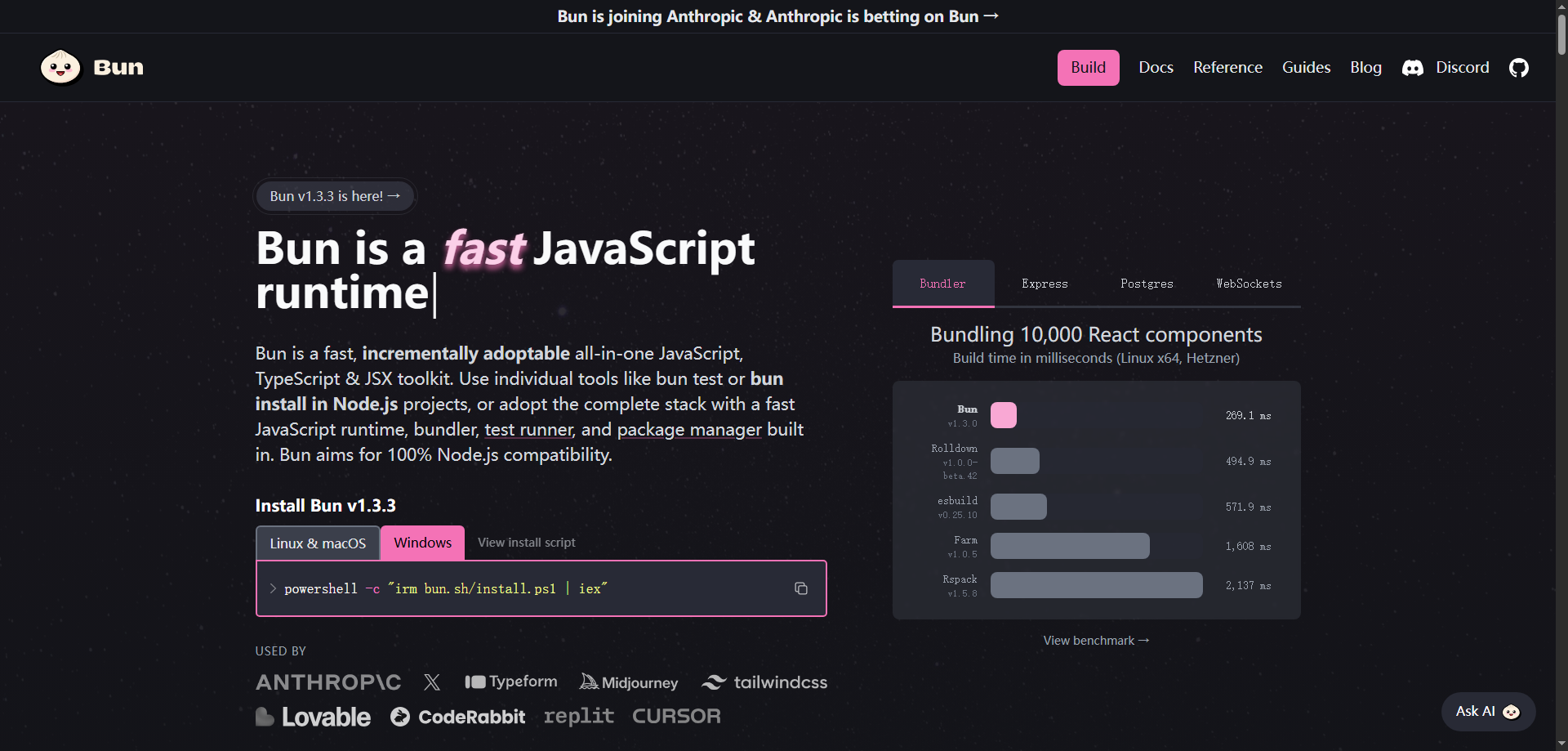
Bun is a fast, next-generation JavaScript and TypeScript runtime that provides integrated tools for bundling, installing, and running code. It’s designed to be a drop-in replacement for multiple tools that JavaScript and TypeScript developers typically use, such as Node.js, npm, and Webpack. By combining these tools into a single, efficient package, Bun simplifies development processes and drastically reduces the amount of time spent on repetitive tasks.
With Bun, developers can run code, manage dependencies, and bundle files faster than ever before. Its built-in bundler and task runner offer a level of performance that far exceeds traditional tools, making it an ideal choice for both large-scale projects and simple scripts.
Why Choose Bun?
For JavaScript and TypeScript developers, the development environment can often feel fragmented. You may need separate tools for bundling your code (Webpack), running your JavaScript (Node.js), and installing packages (npm or Yarn). Not only does this result in overhead and configuration hassle, but it also impacts performance. Bun addresses these issues by combining all of these functionalities into a single, high-performance tool.
Here are a few reasons why Bun is the preferred choice for modern JavaScript and TypeScript development:
- Speed: Bun is faster than traditional tools, offering quicker bundling, faster script execution, and reduced installation times for project dependencies.
- Ease of Use: Instead of juggling multiple tools and configurations, Bun lets you handle everything from bundling to installation in one unified environment.
- Modern JavaScript and TypeScript Support: With built-in support for modern JavaScript features and TypeScript, Bun ensures that your code is always up-to-date with the latest standards.
- Performance Optimized: Whether you're compiling TypeScript or managing project dependencies, Bun is designed for high performance, enabling faster feedback loops during development.
Key Features of Bun
1. Fast Bundling of JavaScript and TypeScript
One of the standout features of Bun is its built-in bundler, which allows developers to quickly package their JavaScript and TypeScript code into efficient bundles. Traditional bundling tools like Webpack can be slow, especially as project size increases. Bun overcomes this by offering a bundling solution that is several times faster, significantly improving the development process and user experience. Whether you're working on a small project or a large-scale application, Bun's bundler will help you get your code ready for production in no time.
2. High-Speed Package Installation
Managing dependencies can be a time-consuming task, especially when using npm or Yarn. Bun introduces a new npm client that is optimized for speed, reducing the time it takes to install packages. This is particularly beneficial for large projects that require many dependencies, as Bun's npm client ensures that the installation process is quick and efficient, allowing you to get back to coding sooner.
3. Native JavaScript Runtime
Running JavaScript and TypeScript code is central to most development workflows, and Bun is optimized for speed. Unlike traditional tools like Node.js, Bun provides a native runtime that is faster and easier to set up. You don’t need to worry about complex configurations or dealing with compatibility issues. Simply run your JavaScript or TypeScript code directly in Bun, and experience faster execution times and a smoother workflow.
4. Powerful Transpiler for Modern JavaScript and TypeScript
With Bun, you get a built-in transpiler that supports the latest JavaScript and TypeScript syntax. This means that even if you’re using cutting-edge features, Bun will automatically transpile your code into a format that is compatible with older browsers or other environments. The transpiler is designed for speed, ensuring that your code is quickly converted and ready for use without compromising on performance.
5. Integrated Task Runner
Automating repetitive tasks is an essential part of modern development workflows, and Bun simplifies this process with its built-in task runner. Whether you need to start a development server, run tests, or execute any other task, Bun can help automate these actions with minimal configuration. By streamlining these common tasks, Bun allows you to focus more on coding and less on managing infrastructure.
How to Use Bun
Using Bun in your projects is simple and intuitive. Here’s how it works:
- Install Bun: Get started by installing Bun on your machine. It’s easy to install, and once set up, you’ll be ready to replace traditional tools like npm, Webpack, and Node.js.
- Run Code: You can now run your JavaScript and TypeScript code directly using Bun’s native runtime, skipping the need for a separate Node.js installation.
- Bundle Your Code: Use Bun’s fast bundler to package your code for deployment. Whether you're bundling small scripts or large web applications, Bun offers high-speed bundling that reduces wait times.
- Install Dependencies: Instead of using npm or Yarn, you can use Bun’s integrated npm client to install project dependencies faster than ever before.
- Automate Tasks: Leverage Bun’s task runner to streamline your development process. Automate common tasks like server startup and testing to save time.
Real-World Use Cases for Bun
1. Quick Start for Web Development
For beginners or developers starting a new project, Bun makes it easy to get up and running quickly. Instead of spending time configuring various tools, developers can immediately start coding and use Bun to bundle their JavaScript or TypeScript code with just a few commands.
2. Backend Script Execution
For backend developers working with data processing scripts or automating server-side tasks, Bun provides a faster, more efficient runtime environment than Node.js. Its high-speed execution ensures that backend scripts run more efficiently, improving performance for tasks like database queries or API calls.
3. Frontend Project Optimization
For large-scale frontend applications, Bun’s integrated bundler can drastically reduce the time it takes to bundle and prepare the project for deployment. By replacing slow traditional bundlers, developers can quickly get their code ready for production, significantly improving development speed and productivity.
4. Dependency Management in Teams
In team environments, managing dependencies and ensuring that everyone is working with the same versions of libraries is crucial. Bun’s npm client makes this process much faster, reducing wait times during installs and improving overall team productivity.
Why Bun Stands Out
Bun is a game-changer for JavaScript and TypeScript development. By combining bundling, runtime execution, and package management into a single tool, Bun eliminates the need for multiple tools and complex configurations. Its superior performance, ease of use, and speed make it an ideal choice for modern development workflows. Whether you are working on a small script or a large-scale web application, Bun helps you develop faster, more efficiently, and with less hassle.
Conclusion
In today’s fast-paced development environment, speed and efficiency are crucial. Bun is a powerful tool that combines multiple functionalities into one streamlined solution, allowing JavaScript and TypeScript developers to work faster and more efficiently. With its built-in bundler, native runtime, and fast package management, Bun is set to revolutionize the way developers build and manage their projects. If you’re looking for a faster, more efficient development workflow, Bun is the tool you’ve been waiting for.